
A private family chat, right next to your plans.
“I’m on my way.” “Can someone grab milk?” “See you there.” Keep household messages close to the calendar, tasks and lists they are about.
A real view of the Everyone family conversation.
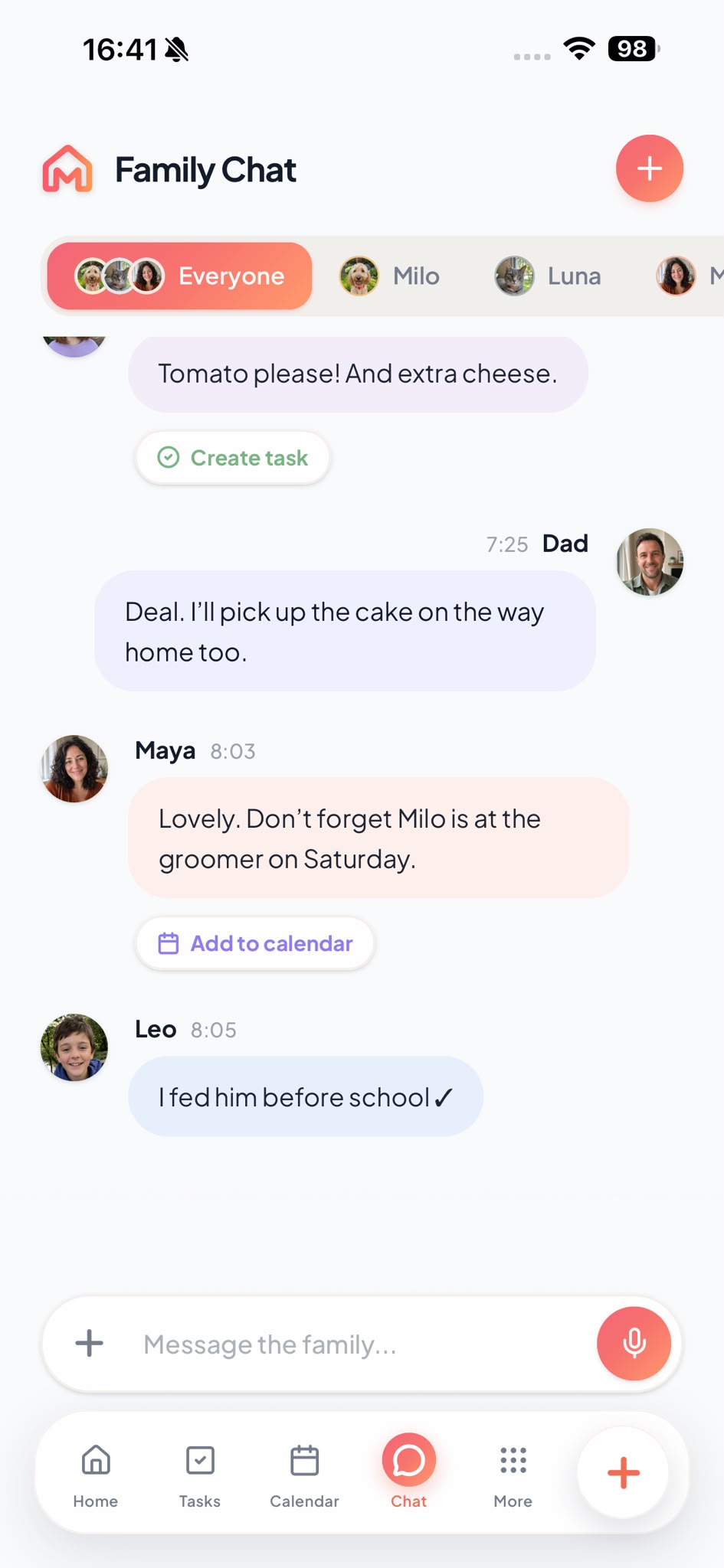
A family messaging app, not another group chat.
A calendar can tell you when something starts. A task can tell you what needs doing. Sometimes you still need to ask a question, share a quick update or make a plan together.
Lerra keeps those conversations in your family space, alongside the plans they lead to. It is for your household’s day-to-day coordination, not a public feed.
Chat with everyone, or just a few of you.
Some news is for the whole household. Other details only need the people involved.
The Everyone conversation
Tell the family a pickup time has moved or ask who is bringing the cake.
A smaller conversation
Keep a quick exchange with just the family members who need it.
A simple check-in
Share the everyday updates that help everyone know how the day is going.
Open a task or calendar event from chat.
When “someone should pick up the parcel” comes up in chat, the create-task action opens a form where you can enter the details. If the conversation settles on a time, open the calendar form and add that plan. Message text is not copied into either form automatically.
Explore family tasksQuick family polls.
Choosing between Saturday plans or deciding what to cook? Put the options into a family poll so everyone can weigh in. It is a useful way to settle a small question without a long back-and-forth.
From “we should” to something everyone can find.
A conversation often leads to a plan or a job. When a message suggests a next step, Lerra offers shortcuts to open task or calendar creation so you can enter the details yourself.
Family chat FAQs.
Who can see our family messages?
Family Chat is for conversations within your family space, not a public feed. You can chat in the Everyone conversation or with a smaller group of family members.
Can I make a task from a chat conversation?
Yes. For messages about something that needs doing, Chat can open task creation. Enter the task details yourself; the message is not copied into the new task automatically.
Can a chat plan go on the calendar?
Yes. For messages about a date or time, use the add-to-calendar action to open event creation, then enter and save the details yourself.
Can we vote on plans in family chat?
Yes. Family polls let you offer options and gather votes for everyday choices, like a weekend plan or what to have for dinner.
Keep the conversation close.
Bring your people and the everyday details into one shared place. Start with your family, then make it yours.